

What Can Tiny Home Photos and Videos Show?
Buying · Published · Updated
Written by Porter T. Talbot, MSFS · Co-founder and President

Co-founder and President, Snake River Tiny Homes
The short answer
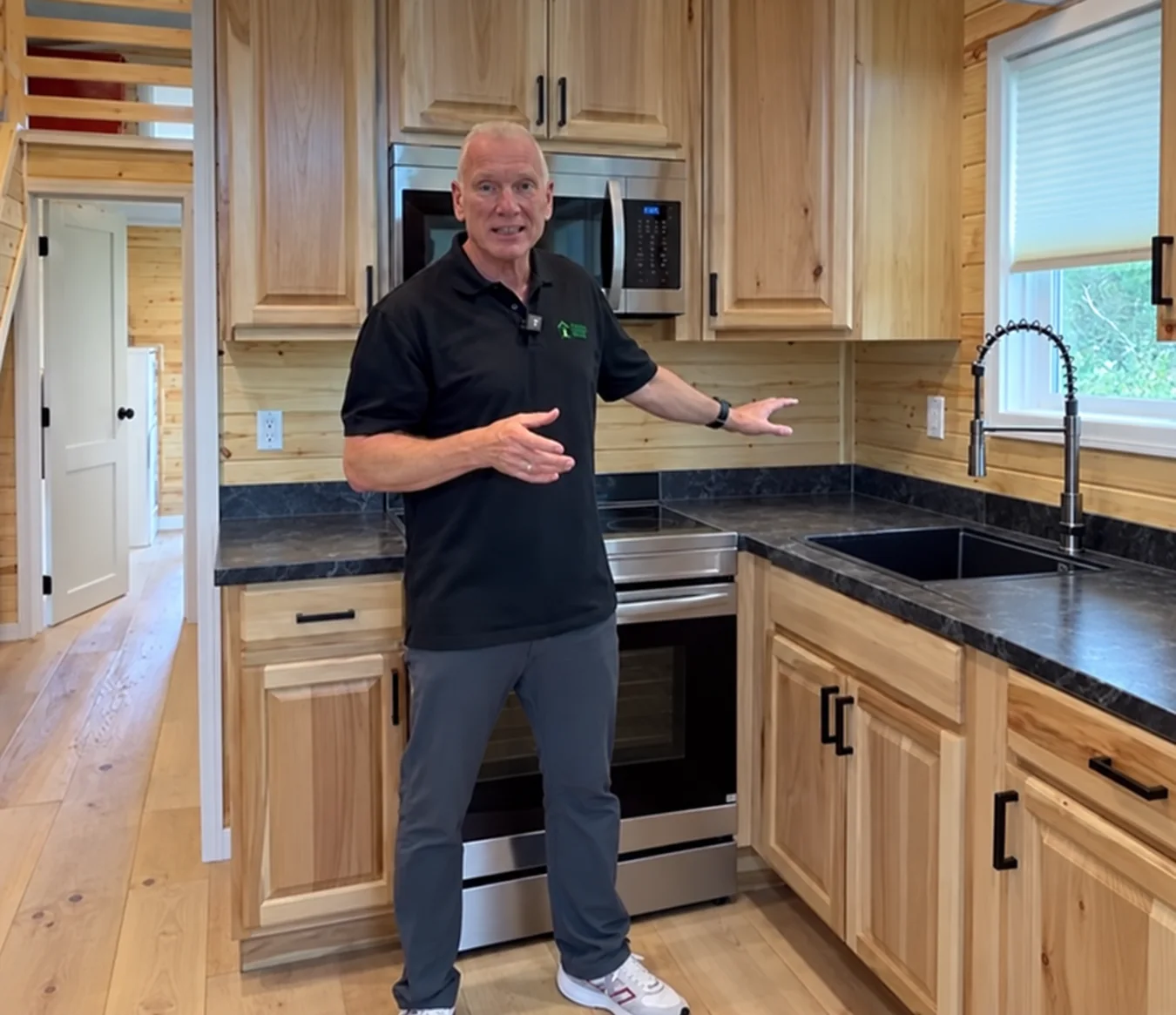
Tiny home photos and videos can show layouts, finishes, storage, and how rooms connect, helping you compare homes from anywhere. Pair those views with measurements, written specifications, and personal guidance to confirm your selections. A real walkthrough, like the one pictured with Porter Talbot, helps turn an online search into a more informed conversation.
Porter Talbot presenting a park model tiny home interior. Confirm the model, configuration, and included features for your selected home.
Make the Most of a Real Walkthrough
Seeing a real home and hearing someone explain its features can make shopping remotely feel more personal. A walkthrough helps you understand the kitchen, storage, walking routes, and connection between rooms.
Lighting, camera position, and lenses can affect how space appears. Ask for a measurement or another view when you need more detail.
Use the tour as the beginning of a conversation with our team. We can help you connect what you see with the specifications and options for your selected model.
What Photos Can Show
Photographs help you explore exterior styles, interior finishes, cabinet appearance, window placement and room arrangements.
Detailed images can also reveal how a particular area is organized. Ask for additional views when storage, appliances or access matter to your decision.
Our gallery is a useful place to identify design preferences. Confirm whether the features you like are included or optional on your selected model.
What Photos Cannot Show
An image does not reliably establish exact dimensions, hidden construction details, inspection history or how a home will perform at your destination.
It also does not prove that every visible feature is included in the quoted price. Furniture, staging items and upgrades may appear in photographs without being part of your order.
Use floor plans, equipment lists, certification information and purchase documents to answer those questions.
What Videos Can Reveal
A continuous walkthrough can make the relationship between rooms easier to understand.
Watch door movements, walking routes, storage access and transitions between living and sleeping areas. Pause when something is unclear and write down the question.
Our home videos help you explore the space remotely. Still confirm which model and configuration appear in the footage.
Virtual Tours and Professional Photography
Professional photography is useful for examining appearance. A walkthrough provides a better sense of movement through the home. Neither replaces measurements.
An interactive tour may let you choose your viewpoint, while a recorded video follows the camera operator’s route. Ask for another angle or a measurement when an important area is not shown clearly.
Renderings and AI illustrations can explain a concept, but should be identified as illustrations rather than evidence of a completed home.
How to Verify What You Are Seeing
Ask whether the image shows the same model and layout you are considering, whether it shows a current or previous configuration, and which visible features are optional. Find out whether the colors are photographed, rendered or digitally altered. Request dimensions for the areas that matter to you.
Use Build and Price to record your selections, then compare them with the written proposal.
You can also review our certification information for documentation that pictures cannot provide. Confidence comes from using images, measurements, documents and direct answers together.
Shop from Anywhere.Buy with Confidence.
Talk with our family-owned team about your model, selections, destination and next steps.